System for building custom coding agents
git clone https://github.com/tilework-tech/nori-profiles ~/.claude/skills/nori-profiles# Nori Profiles **Create custom coding agents that are fit for purpose.** As projects grow in complexity and specificity, off the shelf agents become less effective. Nori Profiles is a tool for building custom coding agents that are encoded with your development patterns, design standards, and engineering workflows. Nori lets you precisely define how you want your coding agent to reliably behave for engineering tasks: - Define consistent agent behavior for areas of development, tasks, or team roles - Automate repeated steps of your workflow to offload your cognitive load, such as git workflows, file references, and testing - Launch custom agents instantly without repeating setup or context Under the hood, Nori wraps Claude Code with a config management system that automatically defines desired behavior in agent configuration and context layers like Claude.md, Skills, Subagents. 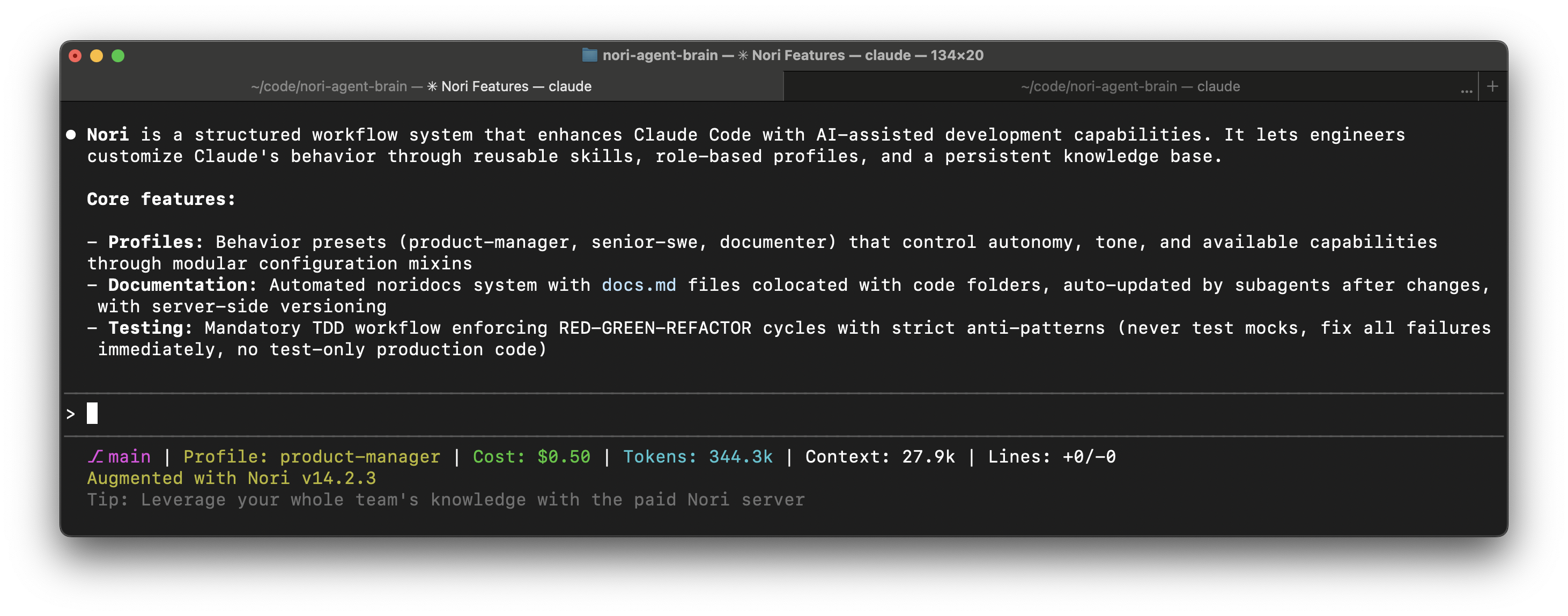 ## Installation ```bash npm install -g nori-ai nori-ai install ``` Launch Claude Code from your terminal. Nori features activate automatically. ## Requirements - Node.js 22 or higher - Claude Code CLI installed ### Start by testing a profile During installation, choose a sample profile to try out how Nori works. Examples: - **senior-swe**: High-confirmation co-pilot mode - **product-manager**: Autonomous execution with technical guidance - **documenter**: Documentation-focused workflows Switch profiles anytime: ```bash nori-ai switch-profile <profile-name> ``` Or use `/nori-switch-profile` during a conversation. ### How to create your own profile Define precise scopes of behavior for your development tasks. Your preferences for git automation, PRs creation, testing, and planning, optimized for context using all the best configuration options - agent.md, skills, subagents, and tools. **Ask Claude Code to build it with you:** Run ``` /nori-create-profile ``` Claude will guide you through: - Understanding your role and development style - Identifying repeating instructions you give - Choosing relevant mixins (engineering, product, documentation workflows) - Writing your custom CLAUDE.md with your preferences - Setting up the profile structure **Building a profile explicitly** 1. Create the profile directory: ```bash mkdir -p ~/.claude/profiles/my-profile ``` 2. Add a `CLAUDE.md` file with your custom instructions: ```markdown # My Custom Profile Add your workflow preferences here: - Testing requirements - Git automation rules - Code style guidelines - Any repeating instructions ``` 3. Link to mixins (optional): ```bash # Link to the SWE mixin for engineering workflows ln -s ~/.claude/_mixins/_swe ~/.claude/profiles/my-profile/_swe ``` Available mixins: `_swe` (engineering), `_pm` (product), `_doc` (documentation) 4. Activate your profile: ```bash nori-ai switch-profile my-profile ``` Or use `/nori-switch-profile` during a conversation. **Profile structure:** Profiles live in `~/.claude/profiles/` and contain: - `CLAUDE.md`: Your custom instructions and workflow preferences - Mixins: Linked configuration options - Custom skills and slash commands (optional) Each profile represents a distinct mode of work, letting you instantly tune the agent for different tasks. ## Additional Features ### Nori-profiles _Enhances Claude Code with improved visibility and automations._ - **6-checkpoint development workflow**: Setup verification → research → plan approval → TDD cycle → implementation → verification - **32+ engineering skills**: Step-by-step instructions for TDD, debugging, code review, git workflows, architecture decisions - **3 built-in profiles**: senior-swe, product-manager, documenter - **Real-time status line**: Git branch, active profile, token usage, conversation cost - **Slash commands**: Quick access to workflows (`/nori-info`, `/nori-debug`, `/nori-init-docs`, `/nori-switch-profile`) - **Specialized subagents**: codebase-locator, codebase-analyzer, codebase-pattern-finder, web-search-researcher - **Local noridocs**: Automatic documentation with change-documenter and initial-documenter subagents ### Nori-registry (Paid) _Web app for uploading, discovering, and downloading custom coding agents across a team._ Upload your custom agents to a shared registry where your team can discover and download them. Search by name, tags, or description. Download agents instantly with a single command. Makes it easy to share specialized agents across your organization. ## Commands ```bash nori-ai # Install (default) nori-ai install # Install (explicit) nori-ai uninstall # Uninstall all features nori-ai help # Show help message nori-ai check # Run configuration validation ``` ## Special Thanks - [Simon Willison](https://simonwillison.net/) for inspiration - [Jesse Vincent](https://blog.fsck.com/) for valuable insight and the superpowers library, which forms the basis of Nori's skills - The [humanlayer](https://github.com/humanlayer/humanlayer/tree/main) team for great writing on using agents and some subagent implementations